Overview For the class Edu 614, one of my goal is to be proficient in Google features, and this is such a good opportunity to dig more into G suite for this assignment "Apps for student researcher".
Google Docs for Student researching Many teachers felt the Google Docs Research Tool was very useful for their classes they had been used this tool daily basis. However, unfortunately, Google recently changed one of their best feature "Research tool" in Google Doc to "Explore tool". People are trying their best to fit in this situation, so do I. This is a NEW simple how-to-use method.
Students can use Explore tool by clicking the star-shaped icon in the bottom-right of Google Docs pages. Teachers can utilize this tool by providing essential questions for students so that they can research their answers using the searching engine within Google Docs.
Also, students can start their document by using Google Keep, which is also on a toolbox in Google Docs. There is a "Keep notepad" button on a toolbox, and simply by dragging Keep-notes that were already found, students can make a quick outline of their paper.
Google Docs also provides Google advanced search operators, students will be able to find more accurate articles for their document. Clicking a quote icon while searching the "Explore tool", students can make an easy footnote.
For the last, students can use a citation feature by "Adds-on" the Paperpile or easyBib.
Caution! For a research-based class, the internet safety issue is matter. These are the safe searching engines for students.
https://www.safesearchkids.com/
http://www.kidsclick.org/
http://www.kidrex.org/
https://primaryschoolict.com/
https://www.factmonster.com/
https://www.kiddle.co/
https://scholar.google.com/
https://www.refseek.com/
https://www.wolframalpha.com/
http://www.sweetsearch.com/
I have an assignment for my other class, English Arts, and I want to figure it out whether the technology integrated lesson really works. you can see the the lesson plan by clicking board down below.
"The Apps for using scribe" means using technology to write documents, especially as collaborative works. In the book "Who owns the learning?", the author Alan November introduced the Digital Learning Farm, which showed effective ways to integrate technology with education in the classroom. If students engage more by creating tutorials for other students, collaborating with scribing will increase their participation by producing shared notes. These are the benefits offered by the process of creating shared notes.
Students will be better at synthesizing information into ideas
Students will learn important skills in collaborating, communicating, organizing, writing and critical thinking.
Students will enjoy producing shared notes.
As a bad hand writer myself, I've always struggled to make the note neat as possible, but still I felt it was not enough to show to other people. However, after I took this Edu 614 course, I poured out my energy to create something new, better and beautiful to use and was amazed by the possibility of technology for students. Note-taking will be a great project that everyone can participate, and every voice will be heard. However, there are one thing I've concerned about taking a note using apps. I wrote something on the blog page, I felt it was more like making a magazine then note-taking. I could see the comments, but it was like grading by other people. If a teacher want to use technology as a scribe tool in the class, he/she needs proper apps, and a skill for that app. The Youtube video that professor Seavey posted ""Why Chris Penna Uses Google Docs vs. Wikis for collaborative writing" I was convinced using Google Docs is better for me then wiki for students using as a scribe tool. Chris Penna said, wiki is more like a web page rather then a document. Ex)First, Students will make drafts of their writing using Google Docs in their literature class. To show how to use Google Docs, I'll use my son's readers response journal for his class. In the classroom, a teacher will use Google classroom in his/her Google Drive.
Clicking the "NEW" icon, the teacher will see the Google Docs.
For collaborative work, the teacher will make a group with two students and each group will have different questions for their paper. The group of students will write the draft though the lesson, and between lessons, they will have time to correct or add their thoughts together. For example, they will editing together like the paper down below, and the teacher can make comments of their work. (The Yellow-Highlight parts are on the comments that the teacher has made.)
If they can't finish their work in the class, they can do it at home, adding more details. If the teacher wants to check who are participating and did their works, there is "See version history" section.
With dates, times, and Students' work history, the teacher can check and provide comments or reinforce about parts of the lesson.
After they make their finals, try to use Voki classroom app, if possible,
- Voki classroom is an app that students can create a character, and make it speak by adding a voice message from a phone or microphone. Students can summarize and communicate with extra fun.
Student Tutorial for the App Voicethread for Presentation
<Click the picture above to read the document by Jihye Won>
This is an example video that I made for students Tutorial using app. I used Screencast-O-Matic to capture my computer screen while I was using Voicethread for the assignment. A first video that I've ever made, and you can see lots of mistake, but I really enjoyed these new technology tools. I also could see the possibility of the technology integrated class.
Apps are like Pokemon-balls that I should be trained to find right one for my own purpose and have skills for using proficiently.
<Click balls down below for the List>
Tips!
Before swimming in the ocean of apps!
The number of available apps in the Google Playstore is 3.3million apps in September 2017, and many of them claiming they are made for educational purpose. As a mom and also a student, It is hard to find time figuring out each app are just right for my own use.
One tip I found useful to check apps efficiently is using app-review sites like Graphite, which is like Yelp(customer report) for educational apps, games and websites. This site is financially supported by Bill Gates, and teachers can use this site with no-charge. Or, simply check Apple AppStore for reviewing apps.
South Korea, one of the world's highest-rated education systems, aims to consolidate its position by digitising its entire curriculum.
By 2015, it wants to be able to deliver all its curriculum materials in a digital form through computers. The information that would once have been in paper textbooks will be delivered on screen.
South Korea's Minister of Education, Science and Technology, Ju-Ho Lee, said that his department was preparing a promotion strategy for "Smart Education", focusing on customised learning and teaching.
The project, launched during the summer, will involve wireless networks in all schools to allow students to learn "whenever and wherever", as well as an education information system that can run in a variety of devices including PCs, laptops, tablets and internet-connected TVs.
He said the government would support an open content market containing a variety of learning materials, aimed at keeping up quality while keeping down costs.
"Smart Education will change how we perceive textbooks," said Mr Lee.
"The transfer from the traditional paper textbooks to digital textbooks will allow students to leave behind their heavy backpacks and explore the world beyond the classroom."
Tech-friendly teenagers
The intended benefits include extending the choice of subjects for students in rural areas who previously have lacked specialist teachers and to make it easier for pupils to study from home.
South Korea's teenagers should be particularly receptive to such educational technology.
An Organisation for Economic Co-ordination and Development (OECD) international assessment found that 15-year-olds in South Korea were the most competent users of digital technologies in a survey of 16 developed countries.
They were best at evaluating information on the internet, assessing its credibility and navigating web pages.
South Korea's pre-eminence has not come about by chance.
Unesco has documented the way that South Korea has carefully controlled the use of information and communication technology (ICT) in education.
The government has understood the importance of having formal standards, so that systems can work with each other and quality can be assured.
The United States, alarmed by its relative international educational decline, is now also increasing the resources it devotes to digital learning.
But its move appears to be an acknowledgement of a lack of joined-up thinking in the past.
President Barack Obama's "Digital Promise", announced last month, involves a new national centre to advance technologies that can supposedly transform teaching and learning.
The remit is "to determine quickly what is working and what is not, and transform today's fragmented learning technology market, paving the way for the widespread use of learning technologies that deliver the best results for students, parents, and teachers".
Teaching gap
"With more than 14,000 school districts, and an outdated procurement system, it's difficult for entrepreneurs to break into the market, and it's also tough to prove that their products can deliver meaningful results," the White House said.
Given the way education in the US is so highly devolved there are bound to be continuing questions over how much the initiative can achieve.
Another question is whether technology in the classroom is what really makes a difference.
A study by the Department of Educational Research at Lancaster University found that digital technology in the classroom might help to engage pupils in their learning and could save schools money.
But the Achilles' heel - commonplace with educational technology - was the teachers. They felt they needed far greater training in how to integrate the resources into their lesson plans.
"The sad truth is that students can learn just as badly with a class full of computers, interactive whiteboardsand mobile technology as they can with wooden desks and a chalkboard," said science and ICT teacher David Weston, founder of the consultancy Informed Education.
There might be enormous potential for software or gadgets to engage and challenge students in new and imaginative ways.
"But unless there is a focus on developing the teaching expertise to support this then you run the risk of wasting time, money and opportunity," he said. And it may be that technology is seen as a way to achieve cost savings by - to put it crudely - replacing teachers with robots.
Digital tutor
Setting out its Digital Promise ambitions, the White House said: "For years, researchers have been working on developing educational software that is as effective as a personal tutor."
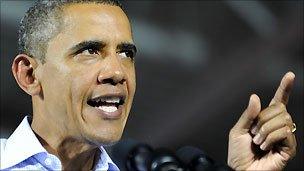
Image copyrightGETTY IMAGESImage captionDigital Promise has been launched by US President Obama to keep up with global competitors
Preliminary results from a US military "digital tutor" project suggested the time needed to become an expert in information technology could be reduced from years to months, said the White House.
"Achieving similar results in subjects such as math would transform K-12 [primary] education." It certainly would.
And although children tend to be quicker on the uptake than their teachers where anything with a screen is involved, this cannot be taken for granted.
The OECD's study of the technology-friendliness of 15-year-olds highlighted crucial differences between printed and digital texts, with their non-linear navigation.
"Individuals who develop the skills needed to use these texts efficiently and effectively will be at an increasing advantage in accessing higher education, finding and succeeding in a well-paid job, and participating fully in society."
So policy makers must guard against creating a new "digital divide" between those who could and who could not use these new technologies, it warned.
Big Brother?
But is there a bigger, darker concern about such a centralised digital curriculum? If you put all your educational eggs in one digital basket you might hatch a monster.
An unscrupulous government could relish the fact that everything a child learns is controllable through one, easily manipulated, digital portal.
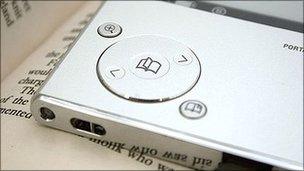
Image copyrightBBCImage captionDo we trust the written word in digital books in the same way as the traditional printed editions?
Such fears have been examined in the novel, The Book, by M Clifford. The US author presents a dystopian civilization in which all information is accessed through an e-reader. The people discover that the digital content has been subtly altered by a corrupt government.
"There is something about paper that commands trust," Mr Clifford said. "And reading is very personal. A bonfire of books used to make us cringe because it represented the destruction of that trustworthy bond."
In an increasingly paperless society, we can trust the technology, but questions need to be raised when governments are involved, he says.
"The scare for me was always the subtlety. The delicate manipulation, one word at a time, to alter someone's perception of the truth.
"Not only is there a fear of changing historical record, but of tailoring someone's perspective on the world. If you think that what you are reading is authentic, then your guard is lowered and you accept it as reality."
He debunks his own dark scenario - but has doubts. "As we've seen, the world is becoming more interconnected on an individual level and so it is unlikely that factual information could be so widely altered. We are probably safe.
"But the fact that it could happen without anyone knowing is the real nail-biter."